
Compatibility
Minecraft: Java Edition
Platforms
Supported environments


Links
Creators

Details

Minecraft, but the world has stolen your abilities. Reclaim them one by one by completing BlazeandCave's advancements!
About
This project keeps the vanilla feel—no overpowered features—but flips progression on its head. Instead of starting with every ability, you must earn them through advancements. Explore alternate paths, delve into dungeons, and celebrate every basic resource you manage to unlock.
Built to showcase BlazeandCave's Advancements Pack, the mod integrates over 1000 tasks that serve as both a challenge and a tutorial. Whether you’re a newcomer or a veteran, the locked mechanics will force you to rediscover Minecraft in a completely new, demanding way.
ATD Modpack
You can also play this mod in ATD modpack. It already has BaC and various advancement-QoL mods installed, such as a large window, search, and detailed information about the criteria.
Gameplay
Early on, you’ll notice a scoreboard on your screen showing your completed advancements:
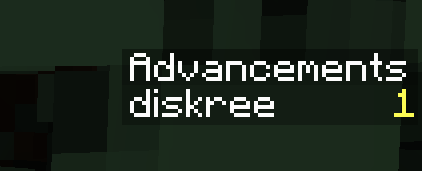
By default, you start the game with 1 advancement already unlocked (this acts as a little boost). As you earn more advancements, this counter goes up—so you’ll always know how close you are to unlocking the next ability!
In this world, every ability gradually unlocks as you complete advancements. You’ll find all abiliies on the AchieveToDo tab in your advancements screen:
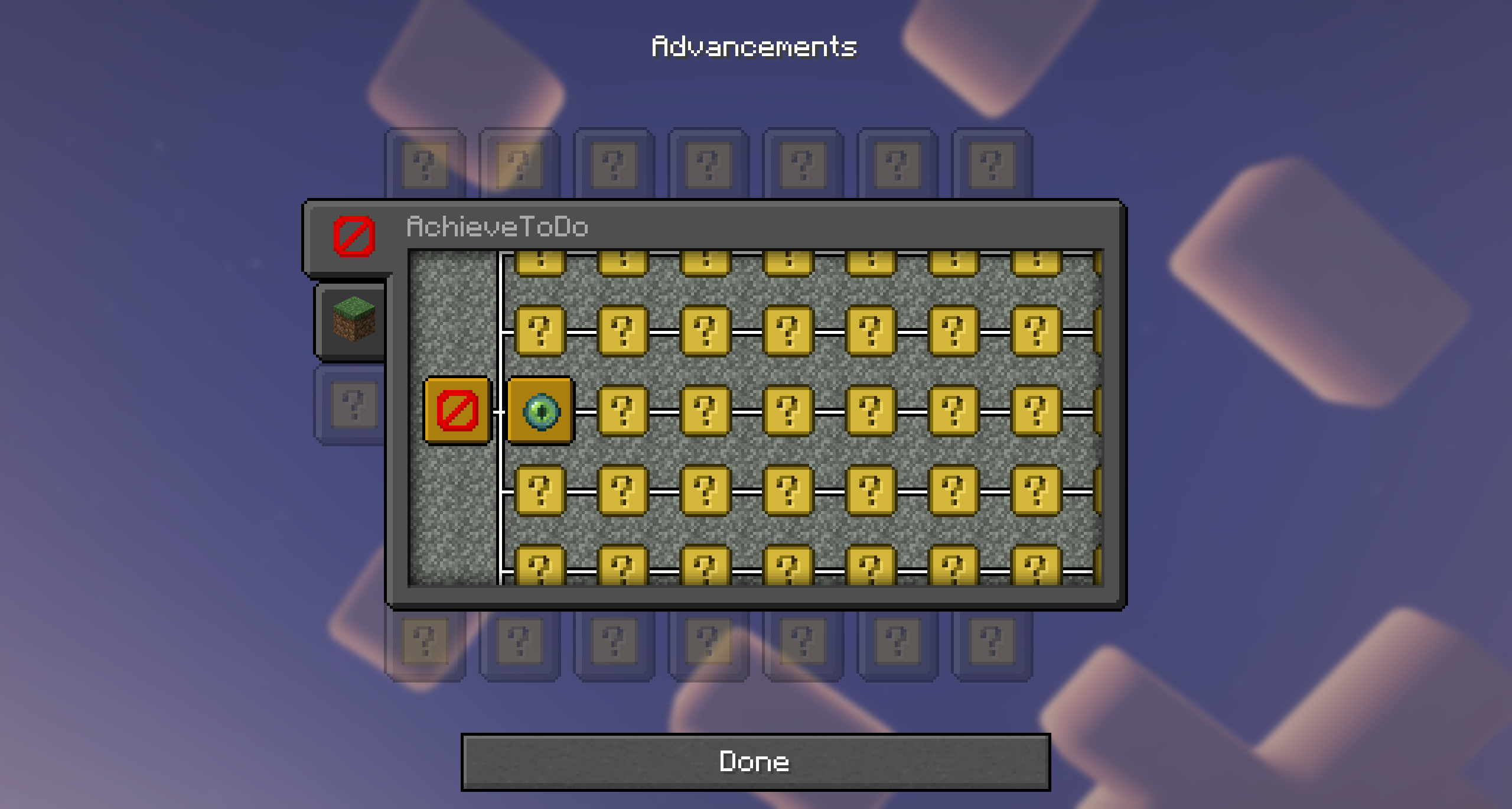
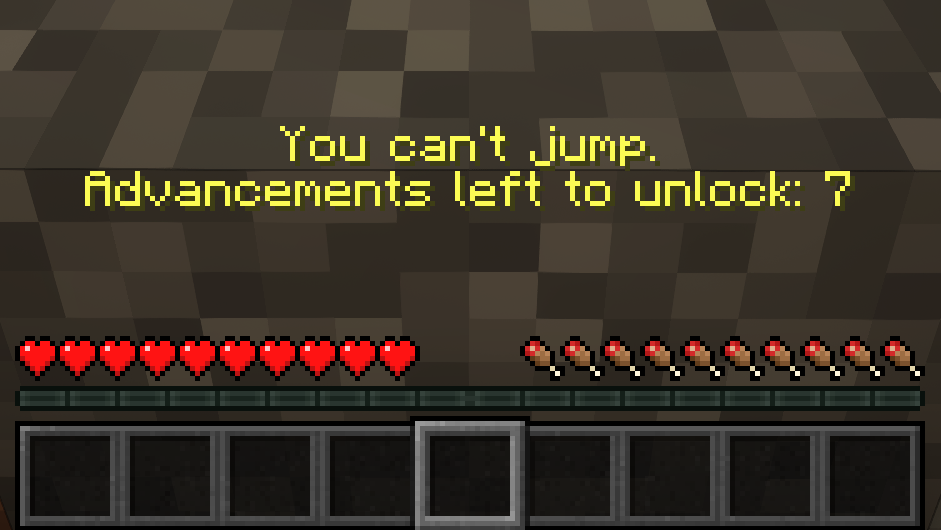
At first, you’ll see mostly mystery icons. The core idea is that you won’t know which abilities are locked until you try them. For instance, if you attempt to jump right after spawning, you’ll discover that jumping is restricted:
From that moment on, the “Jumping” ability is revealed in AchieveToDo tab, so you can track how many advancements you need to earn in order to unlock it:
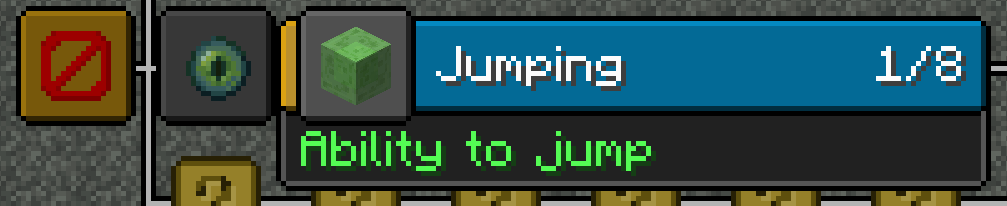
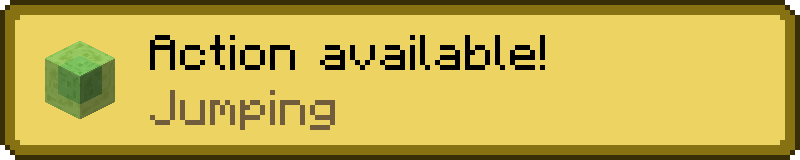
Once you’ve completed the required 7 advancements, a notification will pop up, proudly announcing your new power to jump:
This same system applies to a wide range of gameplay elements—from basic actions like opening your inventory or breaking blocks, to using specific items, trading with villagers, traveling to different dimensions, or even interaction with objects within structures. Each newly unlocked feature feels like its own mini-achievement in your overall journey!
World Creation
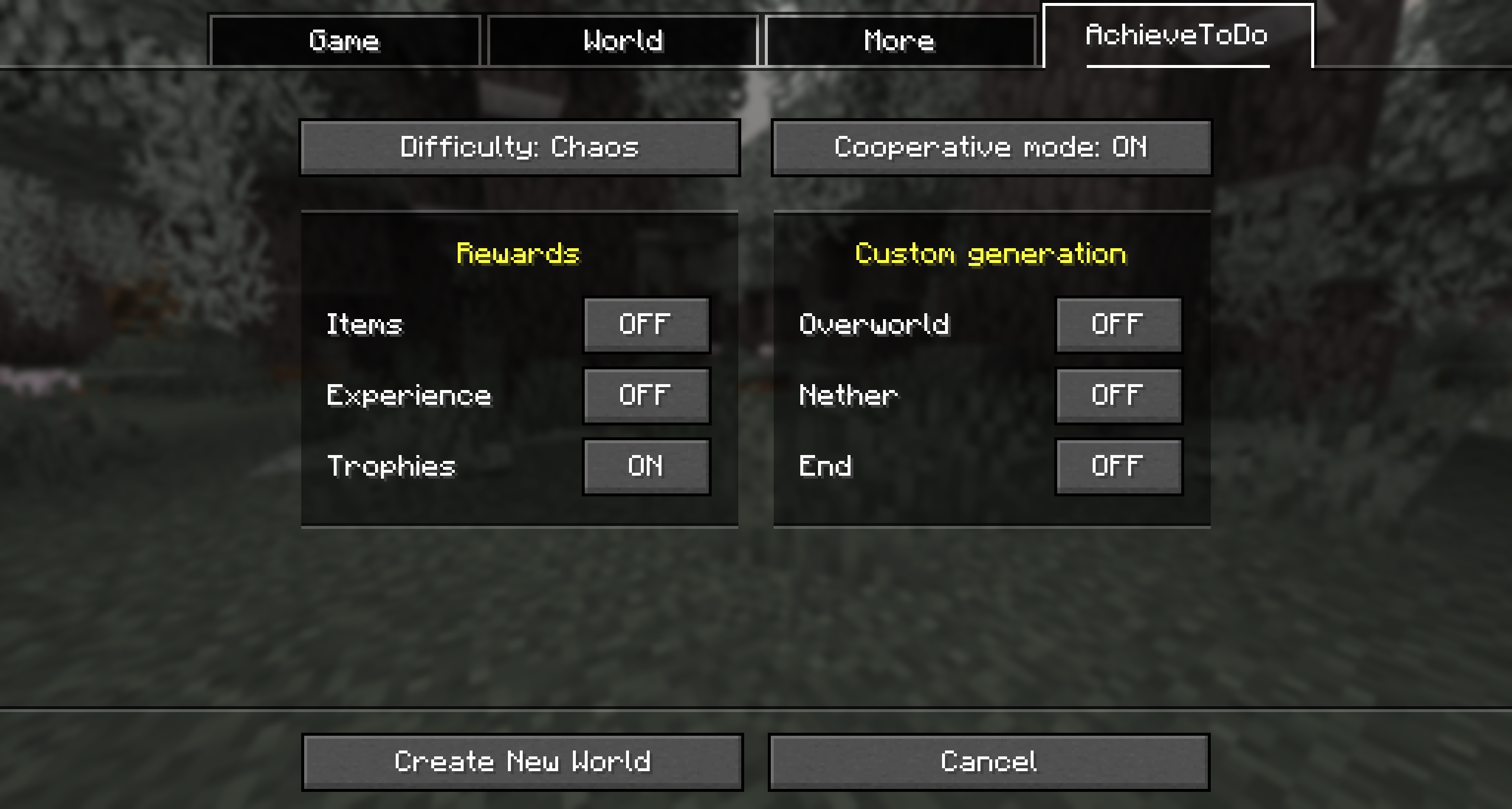
Don't forget to check the mod settings tab before creating a world:
Difficulty Modes
Easy — Similar to Normal but with even quicker unlocks. All basic abilities are unlocked from the start.
Normal — The recommended mode. Similar to Hard but with faster unlocks to keep you constantly engaged. Only vision is available by default among the basic abilities.
Hard — A more RPG-like journey, centering advancements over core AchieveToDo mechanics. Unlocks follow all BlazeandCaves advancements, and the first advancement must be obtained blindly.
Chaos — Abilities get randomly shuffled based on the world seed, ensuring every run becomes an unpredictable.
Custom Configuration
This makes it easy to create all kinds of custom challenges or special gameplay rules—like giving players powerful abilities from the start or removing entire mechanics altogether.
- Launch with a Built-In Mode. First, start Minecraft with one of the existing AchieveToDo difficulty modes (e.g., easy, normal, hard, or chaos). This will generate the corresponding configuration file in your
config/achievetodofolder (for example,normal.toml). - Locate and Copy the Config File. Go to
config/achievetodoin your Minecraft directory, find the file that matches the difficulty you just launched (e.g.,normal.toml)—copy and rename it to something unique likecustom.toml. - Edit the Custom Config. Open
custom.toml(or whatever you named your file), look for the[abilities]section, where each line determines how many advancements are required to unlock a specific ability:- 0 (or omitting the line entirely) means the ability is unlocked by default.
- -1 means the ability is permanently locked and cannot be unlocked.
- Any positive number sets the required number of advancements before the ability becomes available.
- Use Your Custom Settings. When creating a new world, look for the AchieveToDo difficulty switch and select your custom difficulty option (named after your new file).
Server-side setup
-
Create a Single-Player World. In the world creation menu, enable all the settings you plan to use on your server (e.g., hardcore mode, Terralith, co-op, rewards, etc.). Review each difficulty’s description (easy, normal, hard, chaos) to understand how it affects gameplay.
-
Check Data Packs. Once the single-player world has been generated, open it and run the
/datapack listcommand. Take note of which data packs are active, including any external packs (likebacap.zip) and AchieveToDo’s built-in overrides (e.g.,achievetodo:bacap_override). -
Replicate the Setup. Upload the same external
.zipdata packs from your single-player world to your server’s datapacks folder, enable them in the same order shown by the/datapack listcommand and make sure to also enable the corresponding AchieveToDo override packs (e.g.,achievetodo:bacap_override) in the same order. -
Configure the Server. In your server’s
server.propertiesfile, create theachievetodo-configNameparameter. Set this parameter to the difficulty name you selected when creating the single-player world (easy, normal, hard, or chaos). -
Custom Configuration (Optional). Instead of using one of the built-in difficulty modes, you can specify the name of a custom configuration file as the value for the
achievetodo-configNameparameter.
Video
See the mod in action! In this video, Nugget takes on the ultimate challenge and manages to beat Minecraft despite every restriction:
Known issues
-
The C2ME mod is not supported and may be unstable with AchieveToDo. This is because AchieveToDo tracks structure generation to determine their sizes, but does not currently support multithreading.
-
The "Goat Simulator" advancement is buggy in vanilla Minecraft, use MC-264204 Fix to solve it.
Acknowledgments
-
_Skrepka — My original inspiration for AchieveToDo, thanks to the creative Minecraft challenge videos (e.g., "How to complete Minecraft without X?").
-
Lolotrack — For introducing me to BlazeandCave's Advancement Pack.
-
Cavinator1 — Creator of BlazeandCave's Advancements Pack. AchieveToDo wouldn't be possible without it.
-
Stardust Labs — For providing the amazing world generation features across all three dimensions.